Insights
UTM Tagging Guide for Digital Marketers: 2026

UTM tagging appends standard query parameters to a destination URL so analytics tools like GA4 can attribute sessions to the exact campaign, channel, and creative that drove them. Start here: (1) tag every external marketing link with at minimum utm_source, utm_medium, and utm_campaign; (2) build those links using the Google Campaign URL Builder or a standardized spreadsheet template; (3) test your first 10 links by clicking them and confirming the values appear in GA4’s real-time acquisition report. Quantum3 works with B2B teams to build and audit these systems end to end, but the mechanics below give you everything to do it yourself.
Table of Contents
- What are UTM parameters and when should you use each one?
- How do you build a UTM-tagged URL step by step?
- UTM naming conventions and organizational rules that scale
- How do UTMs feed analytics, and what are their limits?
- Common UTM errors and how to fix them fast
- Are UTM tags free?
- Does UTM tagging affect your SEO?
- Key Takeaways
- Why most UTM strategies fail before they start
- Quantum3 builds analytics systems that actually work
- Useful sources and tools
What are UTM parameters and when should you use each one?
UTM stands for Urchin Tracking Module, a naming convention inherited from Urchin Software before Google acquired it. Today the term refers to six query parameters you append to any URL to pass campaign metadata into your analytics platform.
Google’s official guidance identifies three as required for every external link: utm_source, utm_medium, and utm_campaign. Omit any of them and GA4 reports (not set) in that dimension, which makes channel grouping unreliable.
| Parameter | When to use it |
|---|---|
utm_source |
Always — names the traffic origin (e.g., google, newsletter, linkedin) |
utm_medium |
Always — names the channel type (e.g., cpc, email, organic-social) |
utm_campaign |
Always — names the campaign or initiative (e.g., q3-launch, brand-awareness) |
utm_term |
Paid search only — captures the keyword that triggered the ad |
utm_content |
A/B tests or multiple creatives — differentiates ads or links within one campaign |
utm_id |
GA4 cost-data imports — a stable unique identifier (UUID or internal campaign ID) for joining ad spend data |
One critical rule: parameter values are case-sensitive. GA4 treats Google and google as two separate sources, which fragments your reports. Lowercase everything, always.
A copy-paste example URL:
https://yoursite.com/landing-page?utm_source=linkedin&utm_medium=paid-social&utm_campaign=q3-saas-launch&utm_content=carousel-v2
utm_id is a newer addition specifically designed to support GA4 cost-data import workflows. When you use it, assign a stable, unique identifier such as a UUID or an internal campaign ID, not a human-readable campaign name that could change.
How do you build a UTM-tagged URL step by step?
Building a tagged URL correctly takes about two minutes once you have a process. Here is the exact sequence:
- Start with your base URL. Use the canonical destination page, with no trailing slash variations or session tokens.
- Choose your parameter values. Decide source, medium, and campaign before opening any tool. Consistency at this step prevents fragmentation later.
- Append parameters. Add a
?after the base URL, then each parameter askey=value, separated by&. Never use spaces in values; replace them with%20or a hyphen. - URL-encode special characters. Ampersands, quotes, and brackets in values must be percent-encoded. The Campaign URL Builder handles this automatically.
- Validate the final URL. Paste it into a browser, land on the correct page, then check GA4’s real-time report to confirm all values appear.
The Google Campaign URL Builder is the fastest manual option. Fill in the fields, copy the generated URL, and you are done. For teams running paid ads, use your platform’s Final URL Suffix field instead of hardcoding UTMs into each ad. Google Ads, for example, supports ValueTrack parameters like {campaignid} and {keyword} that populate dynamically, which reduces manual errors.
Testing checklist:
- Click the tagged link from outside your own network
- Inspect the landing page URL in the browser address bar to confirm parameters are present
- Open GA4 real-time reports and verify
utm_source,utm_medium, andutm_campaignvalues appear - Check that the session is assigned to the correct channel group in Acquisition reports
- Confirm no redirect strips the parameters before the user lands
One alignment issue worth flagging: if you run Google Ads with auto-tagging enabled (the gclid parameter), adding manual UTMs to the same URL can fragment paid search attribution in GA4. Set your Final URL Suffix to append UTMs at the account level rather than the ad level, and let gclid coexist without conflict.
UTM naming conventions and organizational rules that scale
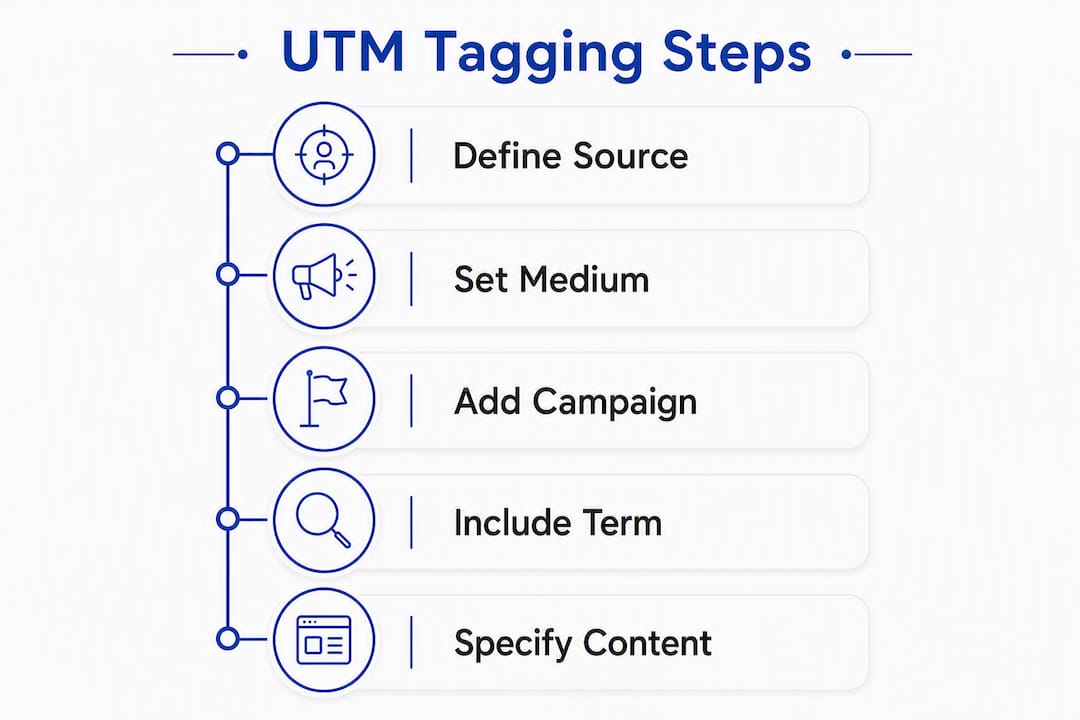
Naming conventions are where most teams quietly destroy their own data. A tagging spreadsheet with 12 variations of utm_medium=Email is not a reporting asset; it is noise.
The rules that actually hold up across platforms and team members are simple:
- Lowercase only. No exceptions, no title case for brand names.
- Use hyphens as delimiters within a value (
paid-social, notpaid_socialorpaidSocial). Pick one and document it. - Never use personal names, dates, or ephemeral labels as campaign values.
janes-june-testbreaks the moment Jane leaves or June ends. - Prefer stable campaign IDs for
utm_idso you can join cost data reliably across reporting periods.
| Good value | Bad value | Why |
|---|---|---|
utm_source=linkedin |
utm_source=LinkedIn |
Case mismatch fragments reports |
utm_medium=email |
utm_medium=Email-Newsletter-May |
Medium should be the channel type, not a campaign descriptor |
utm_campaign=q3-saas-launch |
utm_campaign=Janes Campaign |
Spaces and capitals both cause problems |
utm_content=cta-blue-v1 |
utm_content=test |
Non-descriptive values are useless in reports |
For canonical templates, build one row per channel in a shared spreadsheet: email, paid social, affiliates, and display each get a locked template with only the campaign name left editable. Enforce the template with a URL linter or a validation formula before any link goes live.

Pro Tip: Reserve utm_term strictly for paid-search keyword values. Repurposing it for audience names, ad-set labels, or creative variants creates cross-platform inconsistency that makes keyword-level analysis nearly impossible to reconstruct later.
How do UTMs feed analytics, and what are their limits?
GA4 reads UTM values at the session level and, for some dimensions, at the user level. Session-scoped dimensions like Session source and Session medium reflect the UTM values from the session in which the user arrived. User-scoped dimensions like First user source persist from the user’s first tracked session. Understanding which dimension you are querying matters when you build attribution reports.
utm_id plays a specific role here: it acts as a join key for GA4 cost-data imports, letting you pull ad spend from platforms that do not have a native GA4 connector. Without a stable utm_id, that import breaks.
The harder truth about UTM data: UTMs provide observational signals, not causal proof). A user who clicked your LinkedIn ad and later converted may have also seen your retargeting banner, read a case study, and talked to a sales rep. The UTM on the last click tells you one thing about one touchpoint. To measure true incremental lift, you need randomized experiments or geo-based lift tests that complement your UTM-based measurement.
Attribution models such as linear, time-decay, and position-based distribute conversion credit differently across those touchpoints, but none of them make UTM data causal. They are frameworks for allocating credit, not for proving what caused the conversion.
UTMs are generally resilient to Link Tracking Protection on iOS. Reported LTP stripping lists do not include standard UTM parameters, while platform-specific click IDs like
fbclidandgclidmay be removed. This makes clean UTM tagging one of the most reliable human-readable signals for campaign attribution in a privacy-constrained environment.
For privacy resilience, server-side tag capture is the recommended mitigation. Capturing UTM values on the first server request, before any client-side JavaScript runs, means you retain the data even when browser extensions or consent modes block client-side tags.
For B2B teams with longer sales cycles, push UTM values into your CRM on the first form submission. Map utm_source, utm_medium, and utm_campaign to lead source fields, then carry those values through to the opportunity record. This is the foundation of multi-touch attribution across offline touchpoints, and it is where UTM data pays its biggest dividend for revenue teams. LeadPilot’s B2B attribution guides cover the offline stitching side of this workflow in detail.
Common UTM errors and how to fix them fast
Most UTM problems fall into five categories, and four of them are fixable in under an hour.
Inconsistent casing is the most common. Run a quick export from GA4’s Acquisition report, filter by source and medium, and look for near-duplicate rows (email vs Email vs EMAIL). Fix the source values in your tagging template and normalize historical data with a custom channel grouping rule in GA4.
Internal UTM tagging is the most damaging. Applying UTM parameters to internal links overwrites the original referral source for that session. A user who arrived from a paid LinkedIn ad and then clicked a UTM-tagged internal CTA will appear in reports as a new utm_source session, erasing the paid attribution entirely. Audit your site for any internal links containing utm_ and remove them. Use GA4 events or custom parameters for internal CTA tracking instead.
Conflicting auto-tagging shows up as fragmented paid search data. If Google Ads auto-tagging is on and you also have manual UTMs on your destination URLs, GA4 may receive conflicting signals. Set your UTMs via the Final URL Suffix at the account level so they append consistently without overriding gclid.
Parameter stripping on redirects happens when a redirect chain drops query strings. Test by clicking a tagged link and inspecting the final URL in the browser. If parameters are gone, the redirect is stripping them. Fix the redirect to pass query strings through, or capture UTM values server-side before the redirect fires.
Pro Tip: When UTM data looks wrong, always start with the browser. Click the link, copy the full landing URL, and paste it into a UTM parser or simply read the query string manually. Most attribution problems are visible in the URL before you ever open GA4.
When basic fixes do not resolve the issue, and you are seeing persistent (not set) values or channel misclassification across multiple campaigns, that is the signal to escalate to a full server-side tagging implementation or a formal tracking audit.
Are UTM tags free?
Yes. UTM parameters are a free, open standard. There is no cost to append them to a URL, and GA4 reads them natively at no charge. The Google Campaign URL Builder is also free. Tools like CampaignTrackly offer paid plans with team features, bulk link generation, and validation workflows, but the core tagging mechanism itself costs nothing. The investment is in time: building naming conventions, maintaining a tagging spreadsheet, and running QA checks.
Does UTM tagging affect your SEO?
UTM parameters do not directly harm your search rankings. Google’s crawlers understand query parameters and, when Googlebot encounters a UTM-tagged URL, it typically treats the canonical version of the page as the indexable URL. That said, there are two practical risks worth managing.
First, if UTM-tagged URLs get indexed because they appear in sitemaps, internal links, or are shared publicly without canonical tags, you can end up with duplicate content signals. Use a rel="canonical" tag on your landing pages pointing to the clean URL, and exclude UTM parameters in Google Search Console’s URL parameter settings.
Second, sharing raw UTM-tagged URLs publicly (in social posts, for example) looks unprofessional and can expose campaign naming conventions to competitors. Use a URL shortener or a redirect to serve a clean public URL while preserving the UTM parameters in the destination.
Key Takeaways
Consistent UTM tagging requires three required parameters on every external link, lowercase naming conventions, and a testing step before any campaign goes live.
| Point | Details |
|---|---|
| Three parameters are required | Always include utm_source, utm_medium, and utm_campaign on every external marketing link. |
| Lowercase prevents fragmentation | GA4 treats Google and google as different values; enforce lowercase in every template. |
| Never tag internal links | UTMs on internal links overwrite the original referral source and break channel attribution. |
| UTMs are observational, not causal | Use lift tests or randomized experiments alongside UTM data to measure true campaign impact. |
| Quantum3 handles full implementation | Quantum3 delivers UTM audits, GA4 setup, server-side capture, and CRM mapping as a complete package. |
Why most UTM strategies fail before they start
The conventional wisdom is that UTM tagging is a “set it and forget it” task. Build the links, fire the campaign, read the reports. That framing is why so many analytics accounts are full of fragmented, untrustworthy data six months later.
What actually breaks UTM strategies is not a lack of knowledge about the five parameters. It is the absence of governance: no shared naming template, no pre-deploy validation step, no one responsible for auditing the data after launch. Teams add UTMs to some links and not others. One person uses utm_medium=email, another uses utm_medium=Email-Newsletter. A developer adds UTM parameters to internal navigation links “just to track clicks.” Within a quarter, the acquisition reports are noise.
The fix is not more documentation. It is a short, enforced workflow: a locked spreadsheet template, a one-click URL builder or linter, and a five-minute QA check before any campaign link goes live. For B2B teams, the bigger opportunity is pushing UTM values into the CRM from day one. Most teams skip this step and then spend months trying to reconstruct which campaigns generated pipeline. When UTM data lives in the lead record from the first form submission, that question answers itself.
Server-side capture is the other piece most teams delay too long. As privacy features continue to strip client-side identifiers, UTMs captured server-side become the most durable signal you have. It is not an advanced tactic anymore; it is table stakes for accurate measurement in 2026.
Quantum3 builds analytics systems that actually work
Tracking campaigns correctly from day one is exactly the kind of problem Quantum3 solves for growing businesses. Rather than patching a broken tagging setup after the fact, Quantum3 builds the full measurement stack upfront: a standardized UTM tagging spreadsheet, GA4 configuration with correct channel groupings, server-side tag capture for privacy resilience, and CRM field mapping so every lead carries its campaign source through to close.
The deliverables are concrete: a tagging template your whole team can use, a 10-link validation report confirming GA4 reads every parameter correctly, and a 30-day monitoring check to catch any drift after launch. For teams running paid campaigns, Quantum3 also configures AI-driven analytics integrations that connect your UTM data to CRM pipelines and automated reporting. The result is a reporting setup you can trust, not one you have to second-guess every time you pull an acquisition report. Schedule a discovery call or submit an enquiry at quantum3.tech/Enquiries to get started.
Useful sources and tools
- Google Campaign URL Builder — best for quick link building; free, no account required
- URL builders: Collect campaign data with custom URLs — Google Analytics Help — canonical reference for required parameters, naming rules, and GA4 behavior
- UTM parameters — Wikipedia — background on the standard and attribution model context
- Server-side tracking — Quantum3 Blog — implementation guidance for durable UTM and click ID capture
Recommended
Want this for your business?
Tell us what you have in mind. A quick conversation is all it takes to scope it out.